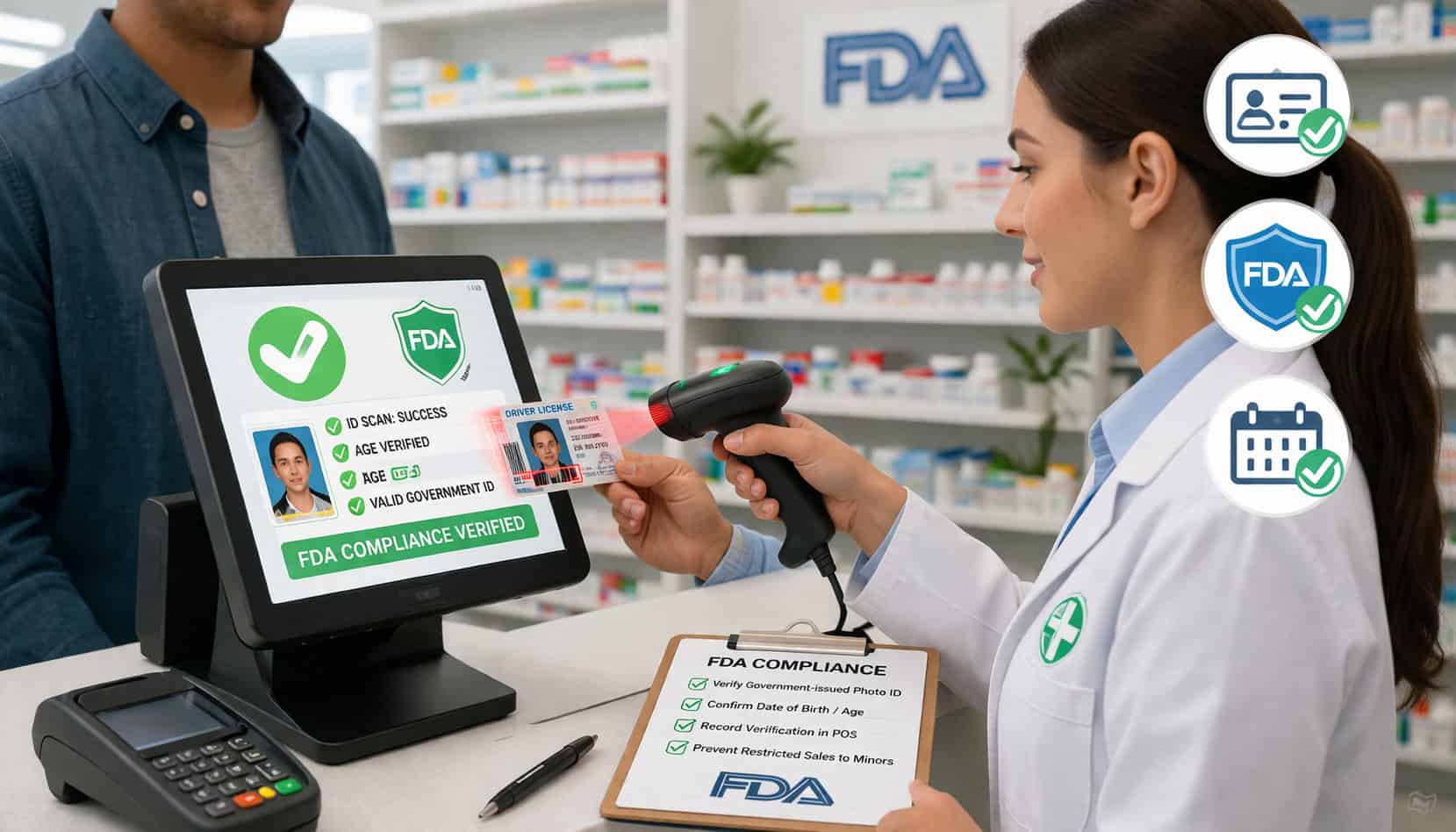
Age verification mistakes can do far more than create an awkward moment at the register. In regulated retail, one missed date of birth, one rushed cashier decision, or one inconsistent checkout process can expose a store to failed inspections, financial penalties, operational disruption, and long-term reputation damage.
That is why more retailers are moving away from memory-based age checks and toward structured checkout controls. POS ID scanning for FDA compliance gives stores a more reliable way to verify age, guide staff actions, document key steps, and reduce the chance that a restricted sale slips through when the line is busy.
For merchants selling tobacco, vape products, nicotine items, alcohol, or other age-gated goods, the register is no longer just a payment station. It is a frontline compliance checkpoint.
In practical terms, POS ID scanning combines barcode reading, date-of-birth validation, cashier prompts, and restricted-product controls into one workflow. Instead of asking staff to estimate age by appearance or calculate eligibility mentally, the system helps enforce consistent rules at checkout.
That matters because the FDA’s tobacco retail rules require retailers to verify age with photo identification for anyone under 30 purchasing covered tobacco products. Retailers may only sell those products to people 21 and older, and FDA resources continue to emphasize retailer training, age checks, and documented compliance controls.
This article explains how POS ID scanning works, where it fits in a retail compliance workflow, how it supports underage sales prevention, and what store owners should look for when choosing and implementing a retail age verification system.
It is designed for operators, managers, and staff leaders who want a checkout process that is faster, more consistent, and better aligned with real-world compliance needs.
What POS ID Scanning Is and Why It Matters in Regulated Retail
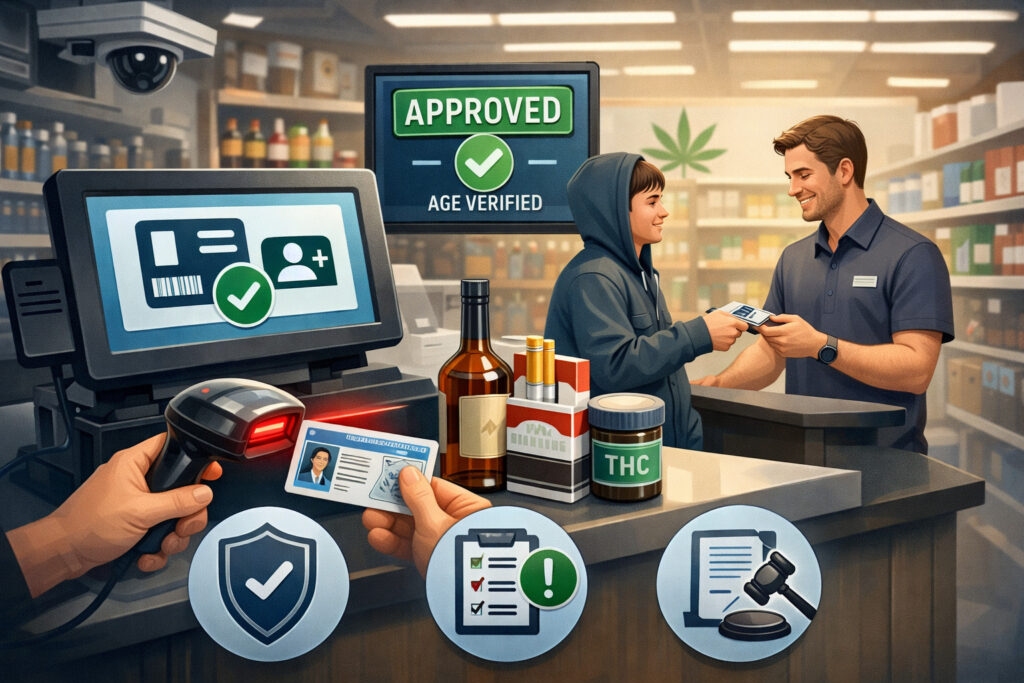
POS ID scanning is the use of a scanner or compatible point-of-sale device to read information from a customer’s government-issued ID during checkout. In most retail settings, the scanner reads the barcode on the back of a driver’s license or other accepted identification and sends the data into the POS.
The system then compares the date of birth against the product’s age restriction rules before the transaction can move forward.
At a basic level, that sounds simple. In practice, it solves several problems that manual checks often create. Cashiers no longer need to calculate age on the fly, remember store policy from memory, or decide whether a customer “looks old enough.” The POS handles the date logic automatically, which reduces inconsistent decisions between shifts and locations.
This matters most in age-restricted retail. A convenience store may sell nicotine products alongside snacks and beverages. A smoke shop may carry a wide mix of devices, e-liquids, glass, and accessories.
A liquor retailer may need a fast way to keep checkout moving while still verifying age on every eligible basket. In each of these settings, restricted product sales controls need to work every time, not just when a manager is standing nearby.
POS ID scanning for FDA compliance also supports a broader culture of accountability. It makes the age verification step visible, repeatable, and trackable. Instead of relying on a cashier to say, “I checked,” the system can show that an ID was scanned, that the product was flagged, and that the sale was either approved or blocked based on the rule set in place.
How POS ID Scanning Works at Checkout
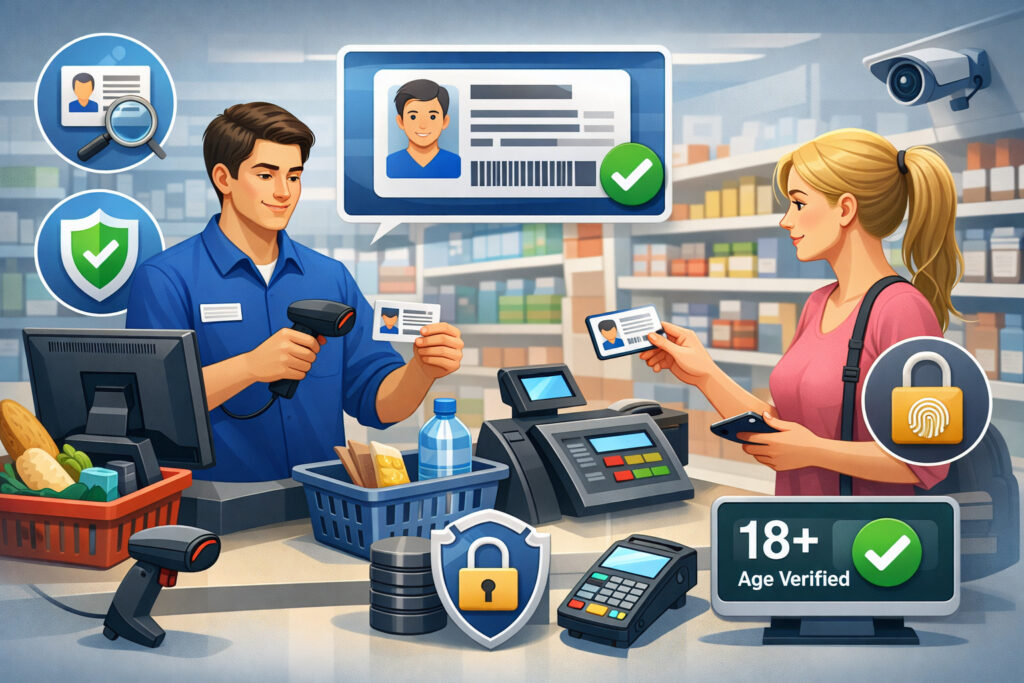
A retail age verification system usually starts before the customer even reaches the counter. Products that require an age check are tagged in the item database as restricted. That tag tells the POS to stop the sale and trigger a verification step when the item is scanned into the basket.
When the cashier scans a restricted item, the system displays a prompt that says an age check is required. The cashier then scans the customer’s ID.
The POS reads the barcode data, extracts the date of birth, and compares it to the minimum legal age for that product category. If the customer qualifies, the system allows the sale to continue. If the customer does not qualify, the sale is blocked.
Some systems do more than basic date-of-birth validation. They can display a pass or fail message, record the event in an audit trail, require a manager override for unusual cases, or note whether the cashier used a manual entry path instead of a scan. These features matter because they strengthen the retail compliance workflow and reduce the risk of workarounds.
What Happens During a Typical Scan ID at POS Process
In a well-configured checkout flow, the process is designed to be fast and clear. A customer places a restricted product on the counter. The cashier scans the item. The point of sale age restriction controls immediately recognize that the basket now includes a product that cannot be sold without verification.
Next, the screen prompts the cashier to request identification. The cashier scans the barcode on the customer’s ID. The POS reads the encoded information, usually including date of birth and ID expiration.
The system then calculates eligibility. If the customer meets the requirement, the sale continues. If not, the system blocks payment and instructs the cashier to deny the sale.
The best systems also reduce confusion during busy periods. They use large on-screen prompts, simple pass-or-fail messaging, and restricted workflow controls that make it difficult to skip the step.
Some can also log the cashier name, time, terminal, and item involved. That creates a stronger recordkeeping process and makes coaching easier if a team member repeatedly uses manual overrides or bypasses.
This is where ID scanning POS systems compliance becomes more than a convenience feature. It becomes a daily operating control. A strong flow keeps the register moving without leaving critical decisions entirely up to memory, speed, or guesswork.
Why Barcode Reading and DOB Validation Matter More Than Visual Estimation
Many age verification errors happen because staff rely on appearance. A customer may look clearly over the minimum age to one cashier and borderline to another. During a rush, a cashier may feel pressure to move quickly and make a judgment call. That is exactly the type of inconsistency regulated retailers should avoid.
Barcode-based electronic ID verification removes a big part of that uncertainty. Instead of estimating age, the system reads the data and applies the rule the same way every time. That makes cashier age check procedures more consistent across employees, stores, and shifts.
Another advantage is speed. Once staff are trained properly, scanning an ID often takes less time than manually inspecting a license, locating the date of birth, doing the age math, and deciding whether to proceed. It also reduces the chance of simple mistakes, such as reading the wrong line on an ID or miscalculating the birthday cutoff.
Barcode reading can also help with operational discipline. If the POS expects a scan on restricted items, staff are less likely to skip the check just because a customer seems familiar.
That matters in neighborhoods where repeat customers visit often and cashiers become too comfortable. Familiarity is one of the most common reasons compliance standards drift over time.
Why Age Verification Matters for Regulated Retail Businesses

Age verification is not just a box to check. It sits at the intersection of compliance, customer safety, operational discipline, and business survival. One underage sale can lead to consequences that cost far more than the value of the transaction itself.
Retailers selling tobacco or nicotine products face especially strong scrutiny because age-restricted product compliance is a core enforcement priority. F
DA materials for retailers make clear that covered tobacco products may only be sold to customers 21 and older, and that photo ID must be checked for anyone under 30 purchasing those products. FDA also offers retailer training resources and public guidance aimed at helping stores prevent violations.
But the business case goes beyond federal requirements. State and local tobacco and alcohol ID scanning laws can add another layer of expectations.
Even where a specific type of technology is not mandated, stores are still responsible for maintaining a defensible process that helps prevent underage sales. That is why so many operators are reevaluating manual checkout habits and adopting POS compliance tools for retailers that guide staff more directly.
The Real Risks Behind Underage Sales Prevention Failures
Underage sales prevention failures rarely happen because a store openly ignores the rules. More often, they happen because the store’s checkout process is weak. A cashier gets distracted.
A new hire does not know the policy well enough. A manager tells staff to “be careful,” but the POS does not force any action. A regular customer is waved through without an ID check because the cashier assumes they are old enough.
Those small gaps add up. If the store is inspected or tested by enforcement personnel, a single failed transaction can become evidence that the compliance system is not working.
From there, the impact can spread quickly. Penalties, warnings, follow-up inspections, staff stress, and management time all increase. Even if the store avoids the worst-case outcome, the disruption is real.
This is why FDA compliance for retailers POS systems should support needs to be thought of operationally.
A compliant environment is one where staff have a repeatable procedure, the system flags restricted sales automatically, and management can review whether the process is actually being followed. Technology alone does not solve everything, but it does reduce the number of decisions left to chance.
Why High-Risk Retail Environments Need Stronger Checkout Controls
Not every store faces the same level of risk. A boutique shop with occasional age-restricted sales has a different operating environment than a vape shop, smoke shop, or busy convenience store where restricted items are sold all day. The more often staff encounter age-gated transactions, the more important it becomes to standardize the process.
High-risk environments also tend to have other pressure points. They may have long lines, frequent repeat customers, shift turnover, multiple part-time employees, or a mix of regulated and non-regulated products in the same basket.
That makes restricted product sales controls essential. The register must know which items require verification and respond immediately.
A retail age verification system helps create that structure. It does not replace training or management oversight, but it gives both a stronger foundation. Staff can follow on-screen steps. Managers can limit overrides. Owners can review reports instead of relying only on verbal assurances.
For stores in these categories, a scan-driven workflow is often the difference between a policy that exists on paper and a policy that actually shapes daily behavior.
POS ID Scanning for FDA Compliance in Practical Terms
When retailers hear “FDA compliance,” they sometimes imagine a complicated legal checklist that only attorneys can interpret. In day-to-day operations, however, the practical question is simpler: does the checkout process reliably stop underage tobacco sales and help staff verify age the right way?
That is where POS ID scanning for FDA compliance becomes highly useful. It supports the actions retailers are expected to carry out at the counter.
It helps identify when a restricted product is in the basket, requires staff to request ID, validates date of birth, and creates a record that the step occurred. For store owners and managers, that is far more effective than relying on a printed sign behind the register and hoping every cashier follows it every time.
FDA guidance for tobacco retailers continues to emphasize age checks, training, and prevention of sales to people under the legal minimum age. The current federal standard requires retailers to verify age with photo identification for anyone under 30 purchasing covered tobacco products.
What FDA Age Verification Requirements POS Systems Should Support
A POS does not need to “be FDA-certified” to be useful for compliance. What matters is whether it supports the behaviors retailers need at the point of sale. In practical terms, a strong system should support:
- Automatic flagging of tobacco and nicotine products as age-restricted
- Mandatory cashier prompts before a restricted sale can continue
- Scan-based or controlled manual entry age verification
- Accurate date-of-birth validation against the applicable age rule
- Manager-controlled override permissions
- Audit logs showing who performed the check and when
- Reporting that helps management review exceptions, overrides, and failed attempts
These functions align with real compliance needs because they reduce the chance of human error and create documentation around the age verification step. A store that can show it uses structured age verification at checkout is in a much stronger position than a store that relies solely on cashier discretion.
Just as important, the system should be flexible enough to handle real store conditions. IDs may be damaged. A barcode may not scan on the first try. An older customer may still need to show ID if store policy requires it. The POS should guide staff through those situations without making the process easy to abuse.
How ID Scanning Helps Reduce Manual Errors and Compliance Drift
Manual age checks are vulnerable to drift. At first, managers may train staff carefully. Over time, shortcuts appear. Employees begin to rely on appearance. They skip checks for regulars. They stop asking for ID late at night when the store is quiet. Eventually, the written policy and the actual checkout routine no longer match.
Electronic ID verification helps pull the process back into alignment. Because the POS expects a scan or documented check, employees are reminded every time a restricted item appears. This reduces forgotten steps and makes it harder for policy to erode gradually.
It also reduces straightforward calculation mistakes. Cashiers do not need to do birthday math under pressure. The system calculates eligibility instantly and consistently. That is especially valuable in multi-store environments where managers want the same process followed at every register.
In short, POS ID scanning for FDA compliance reduces both accidental mistakes and behavioral drift. It narrows the space between policy and practice, which is where many violations begin.
Manual ID Checks vs Electronic ID Scanning
Manual ID checks are familiar because they have been used for decades. A cashier looks at the customer, asks for ID if needed, reads the date of birth, and decides whether the sale can continue. The process can work, but it depends heavily on employee focus, math accuracy, and consistency.
Electronic ID scanning changes the equation by turning age verification into a system-controlled event. The scan captures the date-of-birth data from the ID barcode, the POS applies the rule, and the result is documented. It is not perfect, but it is usually far more consistent than a visual-only approach.
This distinction matters because regulated retail environments are not static. New employees join. Stores get busy. Managers rotate. Products change. A compliance process should work even when the environment is imperfect. That is why many merchants see ID scanners for retail compliance tools as a way to support staff rather than simply monitor them.
Side-by-Side Comparison of Manual and Scan-Based Age Checks
The table below highlights the main differences between manual verification and POS-based ID scanning.
| Compliance Task | Manual ID Check | POS ID Scanning |
| Product trigger | Cashier must remember which items are restricted | POS flags age-restricted items automatically |
| Age calculation | Done mentally by cashier | Done instantly by system |
| Consistency across staff | Varies by employee | More standardized |
| Speed during rush periods | Can slow down lines | Usually faster after training |
| Audit trail | Limited unless written down manually | Logged automatically in many systems |
| Override control | Informal in many stores | Can be permission-based |
| Risk of visual estimation errors | High | Much lower |
| Coaching and review | Hard to measure | Easier with reports and logs |
This is not to say manual checks have no place. Cashiers still need to inspect the ID physically, use judgment when a barcode will not scan, and follow store policy if an ID appears suspicious. But when the goal is a repeatable retail compliance workflow, scan-based systems offer a stronger foundation.
Where Manual Checks Still Matter Even with POS Tools
Some store owners assume that once they install a scanner, the compliance problem is solved. That is not realistic. Even with a strong POS setup, employees still need to be trained on when to request ID, how to inspect it, what to do when a scan fails, and when to call a manager.
A scanner does not replace operational judgment. For example, if a barcode is damaged, the cashier may need to follow the manual fallback workflow.
If the customer presents an ID type the store does not accept, the employee needs to know how to refuse the sale respectfully. If an item was misclassified in the database and failed to trigger an age-gated transaction, staff need to know how to escalate the issue.
This is why cashier age check procedures should blend technology with human process. The scanner handles repeatable logic, while the employee handles verification context, customer communication, and exception handling. The best stores do not choose between technology and training. They use both.
Benefits of Using an ID Scanner for Retail Compliance
The most obvious benefit of an ID scanner is better age verification at checkout. But in actual store operations, the advantages go further. A good system improves speed, consistency, accountability, and manager visibility.
First, it creates a repeatable process. Staff do not need to rely entirely on memory to know which items require age verification. The POS flags restricted products automatically and prompts the next action. That lowers the chance that a busy cashier misses a step.
Second, it improves transaction accuracy. The system reads date-of-birth data and applies the age rule instantly. This removes a common source of human error and helps prevent underage sales caused by rushed calculations or misread IDs.
Third, it strengthens compliance recordkeeping. Many systems can log scan events, overrides, denied sales, and cashier actions. That gives managers a clearer view of what is happening across stores and shifts. It also helps with coaching. If one employee uses manual entry far more often than others, that pattern can be reviewed.
Fourth, it supports operational confidence. Managers do not need to stand at every register to know that age verification is being prompted. The system becomes part of the store’s compliance workflow, which allows owners to scale more effectively across teams and locations.
Operational Gains Beyond Compliance
Stores often adopt POS ID scanning for FDA compliance and then discover that it improves general checkout performance too. Because the process is standardized, employees spend less time deciding what to do and more time following the workflow. That reduces hesitation, especially for new hires.
It can also reduce conflict with customers. Instead of a cashier appearing personally selective, the register makes it clear that age verification is required for certain items. That may not eliminate pushback, but it gives staff a neutral process to refer to. “The system requires an ID scan for this item” is easier to enforce than “I think you look too young.”
Another benefit is training efficiency. It is easier to coach employees on a structured process than on a vague instruction such as “Use your judgment.” Clear prompts and controlled permissions help staff learn faster and make fewer avoidable mistakes.
How It Helps Multi-Location Retailers Standardize Compliance
For single-store operators, inconsistency is a challenge. For multi-location retailers, it becomes a bigger risk. One store may be strict, while another develops informal habits. One manager may require scans on every tobacco sale, while another lets cashiers make visual calls. That inconsistency can undermine the whole chain.
An ID scanning POS system helps standardize these differences. Age-restricted product rules can be configured centrally. Prompts can be made mandatory. Override controls can be aligned by role. Reporting can be reviewed across locations to spot unusual patterns.
That matters because retail compliance is often only as strong as the weakest location. A structured scan workflow gives owners and district managers a more dependable foundation. It turns compliance from an individual habit into a system-supported operating standard.
For more background on how specialized POS tools support compliance-heavy retail environments, retailers may also find it useful to read how a POS system simplifies vape store management and cloud vs. local POS systems for vape retailers.
How POS Systems Flag Age-Restricted Products Automatically
One of the biggest weaknesses in many stores is that the product database is not configured properly. If the register does not know which items are age-gated, it cannot trigger the right checkout controls. That makes product setup a critical part of age-restricted product compliance.
In a strong system, each restricted SKU is tagged with the correct rule. When the item is scanned, the POS immediately recognizes that the basket contains a product requiring age verification. This is how point of sale age restriction controls become automatic instead of optional.
The automation matters because restricted inventory is not always obvious in a mixed retail environment. A convenience store may have nicotine pouches, cigars, and disposable vapes alongside everyday items.
A smoke shop may carry both adult-use products and non-restricted accessories. If staff must remember every restricted SKU from memory, mistakes are likely.
The Role of Product Tagging in a Retail Compliance Workflow
Product tagging is the quiet engine behind effective scan ID at POS systems. If the database is maintained properly, the POS can apply the right workflow every time the item enters the basket. If the database is neglected, the compliance process weakens from the start.
Good product tagging usually includes:
- Age-restricted status by SKU
- Category-specific rules where needed
- Prompt requirements at checkout
- Receipt or transaction notes if relevant
- Return or exchange restrictions
- Manager approval rules for edge cases
When stores update inventory frequently, this setup must become part of the item onboarding process. New restricted items should never be added casually. They should be reviewed, tagged, tested at the register, and confirmed before going live.
Why Automatic Prompts and Locked Workflows Matter
An automatic prompt is helpful. A locked workflow is better. In a locked workflow, the sale cannot continue until the age verification step is completed or a properly authorized user intervenes. That dramatically reduces the chance of a cashier clicking past a reminder or ignoring a screen alert during a rush.
Locked workflows are especially valuable in stores with high employee turnover or heavy weekend traffic. They act as a guardrail. Even when someone is distracted, the system pulls them back into the required process. That is one reason POS compliance tools for retailers are becoming more important in regulated categories.
For a broader look at compliance-friendly POS capabilities, understanding the costs of vape shop POS systems can help store operators think beyond monthly pricing and focus on risk reduction features that affect daily operations.
Where POS ID Scanning Is Especially Useful
POS ID scanning is useful anywhere age verification at checkout happens regularly, but some retail environments benefit more than others. The common factor is a high volume of age-gated transactions combined with the need for fast service and consistent staff execution.
Vape shops and smoke shops are clear examples. These stores often sell a wide variety of covered tobacco or nicotine products, and age checks are central to daily operations.
Convenience stores also benefit because they combine fast-moving checkout with a mixed basket environment, where restricted items are sold alongside non-restricted goods. Liquor retailers face similar challenges, especially during rush periods when visual checks can become inconsistent.
Beyond these categories, any retailer selling age-restricted items should consider whether a scan-based process would reduce risk. The more often the store relies on employees to make age decisions quickly, the stronger the case becomes for using electronic ID verification and system-driven prompts.
Why Vape Shops, Smoke Shops, and Convenience Stores Need Stronger Controls
These store types often operate under conditions that make manual compliance harder. Product variety is broad, repeat customers are common, and transaction speed matters. Cashiers may process dozens or hundreds of age-gated sales in a single shift. That is a lot of room for error if the process depends on mental math and habit.
Vape and smoke retailers also tend to carry products that require especially careful handling in the eyes of regulators. A store that sells these items needs checkout controls that are difficult to bypass casually. That includes automatic product flags, required ID scanning, documented overrides, and manager visibility into failed or denied transactions.
Convenience stores face a different but equally serious challenge: mixed baskets and short interactions. A cashier may ring up fuel items, snacks, lottery, and a restricted product in one fast motion. If the POS does not pause the sale clearly, the age check step can be lost in the speed of the transaction.
Other Merchants That Can Benefit from a Retail Age Verification System
Liquor retailers are obvious candidates, but there are other merchants worth considering too. Specialty grocery stores with restricted beverages, entertainment venues with alcohol service, and certain delivery or order-ahead environments can all benefit from tighter age-gated transaction controls.
The same goes for retailers planning future expansion. A store that is opening a second location or moving to a more complex product mix may want to implement scan-based workflows early. It is easier to build strong habits at the beginning than to fix a loose compliance culture later.
Retailers looking into broader operational issues around specialized systems may also find value in reading what vape retailers actually need from a POS, especially sections related to age verification workflows, inventory controls, and logging.
Key Features to Look for in an ID Scanning POS System
Not every POS that supports ID scanning is equally useful for compliance. Some can read a barcode but do little else.
Others are built around a more complete retail compliance workflow with prompts, logs, permissions, and reporting. When evaluating options, store owners should focus on how the system behaves during a real age-gated transaction, not just whether a scanner can be plugged in.
The foundation is simple: the POS should read common ID barcodes accurately, validate date of birth against the product rule, and stop restricted sales until the age check is complete. But for most stores, that is only the beginning.
A stronger system also supports exception handling, user roles, logging, and review. It helps managers understand whether the process is being followed, not just whether the hardware is installed. That difference matters. Compliance risk is reduced by operational controls, not by equipment alone.
Core Compliance Features That Matter Most
When comparing systems, pay close attention to these features:
- Barcode scanning support: The system should reliably read supported IDs and process data quickly.
- Date-of-birth validation: It should calculate eligibility automatically and accurately.
- Restricted product prompts: It should trigger an age check the moment a flagged SKU enters the basket.
- Override controls: Manual bypasses should be limited, documented, and role-based.
- Employee permissions: Staff access levels should be defined clearly by position.
- Audit logs: The system should record scan events, denials, overrides, and user actions.
- Reporting: Managers should be able to review exceptions, manual entries, and compliance patterns over time.
These are the tools that turn ID scanning POS systems compliance from a simple add-on into a practical control system. A store can train around them, monitor them, and improve with them.
Secondary Features That Improve Long-Term Usability
Some features may not seem critical on day one, but they become valuable over time. For example, exception reporting helps identify recurring problems with certain shifts or locations. Multi-store settings management matters if the business grows. Offline workflow handling becomes important if internet reliability is inconsistent.
Look for systems that make training easier too. Clear prompts, intuitive screens, and visible pass-or-fail messages reduce user error. If employees need excessive explanation just to complete a restricted sale, the system may not be practical in a busy environment.
It is also worth asking how the system handles updates. Retail rules and store policies can change. A useful platform allows settings, prompts, and permissions to evolve without turning the checkout flow into a patchwork of manual workarounds.
How to Train Staff to Use ID Scanning Correctly
Even the best system will underperform if the staff using it do not understand the process. Training is where technology becomes real behavior. Retailers should not assume that because a scanner is easy to use, compliance training will take care of itself.
The goal of training is not just to show employees where to point the scanner. It is to teach them how age verification fits into the store’s daily workflow, why the procedure matters, when to refuse a sale, and how to handle exceptions without improvising.
Start with a simple message: restricted sales are controlled transactions. Employees are not being asked to guess. They are being asked to follow the process. That framing matters because it helps shift compliance from a personal judgment issue to an operational standard.
What Every Cashier Should Learn Before Their First Age-Gated Sale
A solid onboarding process should cover:
- Which products are age-restricted in the store
- When the POS will prompt an age check
- How to scan an ID and confirm the result
- What to do if the scan fails
- When a manager must be called
- How to refuse a sale calmly and consistently
- Why shortcuts create risk for the store and the employee
Training should include live practice, not just verbal explanation. Have new hires run through realistic checkout scenarios, including damaged IDs, denied sales, and mixed baskets. This makes cashier age check procedures more natural when they encounter them under pressure.
Refresher training matters too. Over time, even good employees can develop shortcuts. Managers should reinforce expectations regularly and use reporting tools to spot patterns that suggest retraining is needed.
How Managers Can Reinforce Good Compliance Habits
Managers set the tone. If they override scans casually, tell staff to skip steps for regulars, or focus only on speed, the compliance culture weakens quickly. If they insist on the process and use reports to coach consistently, the standard holds.
Managers should review audit logs and exception reports, especially:
- High manual entry rates
- Frequent manager overrides
- Repeated failed scans
- Unusual denied-sale patterns
- Differences between shifts or employees
These reviews should not be framed only as discipline. They are also a training tool. If a cashier struggles with scanning technique or handling customer resistance, that can be coached. The point is to catch drift early, before it becomes routine.
Common Compliance Mistakes Retailers Make Even with POS Systems
Installing a scanner does not automatically create compliance. Some of the most common mistakes happen after technology is added, when store owners assume the problem is solved. In reality, weak setup and weak follow-through can leave major gaps.
A common mistake is poor item tagging. If restricted products are not coded correctly, the POS cannot trigger the age check. Another is loose override control. If every cashier can bypass the verification step, the workflow is not meaningfully protected.
Some stores also fail to monitor reports. They have logs and audit data available, but no one reviews it. That means repeated manual entries, suspicious patterns, or staff workarounds can continue unnoticed. The system is collecting useful information, but the business is not using it.
The Most Frequent Operational Mistakes
Retailers often run into these issues:
- Restricted SKUs not properly flagged in the database
- Overly broad permissions that allow easy bypasses
- No written fallback process for non-scannable IDs
- Staff assuming familiar customers do not need checks
- Lack of refresher training after initial onboarding
- Managers ignoring exception reporting
- No routine testing of the checkout compliance flow
Each of these problems weakens the store’s defense against underage sales. They also make it harder to prove that the business is using its compliance tools effectively.
How to Build a Stronger Checkout Process for Age-Restricted Sales
A stronger process starts with system setup, but it does not end there. Retailers should map the full checkout flow from product scan to payment approval and ask where errors are most likely. Then they should tighten those points.
A solid process usually includes:
- Verified tagging of all age-restricted items
- Mandatory scan or controlled manual entry
- Limited override permissions
- Written exception handling steps
- Regular manager review of logs
- Ongoing employee coaching
- Periodic testing with sample transactions
This kind of structure reduces uncertainty for staff and lowers compliance risk for the business. It turns age verification at checkout into a process that is visible, teachable, and measurable.
Privacy, Data Handling, and Broader Store Security Considerations
Retailers should also think carefully about what information their ID scanning system collects, what it stores, and who can access it. This is not just a technical issue. It affects customer trust, internal policy, and the broader security posture of the store.
Some systems use ID data only long enough to validate age and allow the transaction. Others may store limited scan event details for audit purposes. Retailers should understand exactly what happens in their setup and make sure their internal policies match the way the technology works.
This is an area where stores should be careful not to over-collect data without a good reason. A practical goal is usually to support compliance recordkeeping and age verification, not to gather unnecessary personal information. Clear access controls, limited permissions, and documented data handling procedures all matter.
Questions Retailers Should Ask About Data Handling
Before implementation, retailers should ask:
- What ID data is read by the system?
- What data is stored, and for how long?
- Is the scan event logged without retaining unnecessary personal details?
- Who can view scan-related records?
- Are reports permission-based?
- How are backups and exported logs handled?
- What happens if a device is lost, replaced, or compromised?
These questions help store owners align their ID scanner for the retail compliance process with good operational discipline. They also help avoid surprise issues later when managers discover the system retains more information than expected or makes records too widely accessible.
How ID Scanning Fits into Broader Compliance and Security Practices
ID scanning should not sit alone. It works best as part of a wider system that includes employee permissions, inventory controls, transaction review, camera coverage where appropriate, refund controls, and written policies.
For example, if a store tracks overrides but does not limit who can issue them, the control is weak. If a store scans IDs but fails to review denied sales or suspicious transaction patterns, it misses the chance to improve. If a store has no staff training on respectful refusal language, customer friction may increase even when the technology works correctly.
The strongest retailers use POS compliance tools for retailers as part of a bigger operational framework. The checkout process, staff training, product setup, reporting, and access control all reinforce each other.
FAQs
Do I still need employees to inspect the ID if the barcode scans successfully?
Yes. A successful scan helps validate date-of-birth data and supports the retail compliance workflow, but employees should still follow store policy for visually reviewing the ID and handling suspicious situations. Technology improves consistency, but staff still play an important role in the verification process.
Can POS ID scanning completely prevent underage sales?
No system can guarantee perfect results. What it can do is reduce avoidable mistakes, create stronger checkout controls, and make it harder for staff to skip required steps. That is why POS ID scanning for FDA compliance works best as a risk-reduction tool supported by training and management oversight.
What should a store do when an ID will not scan?
The store should follow a written fallback procedure. That usually means a controlled manual age verification process, possible manager involvement, and documentation when needed. The key is to make sure a failed scan does not become an excuse for an unstructured sale.
Is manual override a bad feature?
Not necessarily. Manual override can be useful in legitimate exception cases, but it should be tightly controlled. Good systems limit who can use it, record when it happens, and make it visible in reporting. Unrestricted override access defeats the purpose of scan-based controls.
Can convenience stores and liquor retailers benefit from the same type of system?
Yes. While FDA age verification requirements POS systems should support are especially relevant for tobacco and nicotine sales, the broader benefits of age verification at checkout, audit logs, prompts, and restricted product controls can help other regulated merchants as well.
What is the biggest mistake retailers make after buying an ID scanning system?
One of the biggest mistakes is assuming installation equals compliance. In reality, the store still needs proper product tagging, employee training, permission settings, report reviews, and a written process for exceptions. The system is a tool, not a substitute for store management.
Should every age-restricted item trigger a required POS prompt?
In most cases, yes. If the goal is consistency, the POS should automatically flag restricted items and initiate the verification step. Leaving it optional invites inconsistency and increases the chance of a missed check.
What questions should retailers ask a vendor before signing up?
Retailers should ask how the system handles barcode scanning, date-of-birth validation, non-scannable IDs, user permissions, audit logs, denied sales, override controls, reporting, and data retention. They should also ask for a live demo of real checkout scenarios, not just a general product overview.
Conclusion
Retail compliance is rarely lost in dramatic moments. It is usually lost in small, repeated checkout gaps: a skipped ID request, a rushed age calculation, a familiar customer waved through, or a restricted item that was never tagged correctly in the system.
That is why POS ID scanning for FDA compliance is so valuable. It helps turn age verification from a memory-based habit into a structured process.
For retailers selling tobacco, nicotine, alcohol, or other age-restricted products, a stronger checkout workflow can reduce manual errors, support underage sales prevention, improve staff consistency, and create a clearer record of what happened at the register.
The best systems do not just scan IDs. They flag restricted items automatically, guide staff actions, control overrides, and give managers the visibility needed to keep standards from slipping.
In the end, the real goal is not simply to add a scanner. It is to build a retail age verification system that works under real store conditions, with real employees, during real rush periods.
When the product database is configured correctly, the checkout flow is locked down, the team is trained well, and reporting is reviewed consistently, the register becomes a much stronger compliance tool. That is how retailers use POS ID scanning not only to meet expectations, but to operate with greater confidence every day.